Record Sub-Material Losses#
 Material.RecordSubMaterialLosses
Overview#
The user accesses the system in order to record a quantity loss or bonus for all Sub-Materials (first level only).
Setup#
No special setup is required other than to meet the preconditions of the transaction. Note that the Loss and Bonus Reasons must be associated with the current Material Step.
Preconditions#
- Material exists, is Active and is not InTransit.
- Material has Sub-Materials.
- Sub-Materials must not have Packages.
- The Topmost Material is not currently in a transfer.
- If the Material Step has the property
Decimal Quantity Allowedenabled, the user can enter decimal quantity losses; otherwise, quantities must be integers. - The Loss/Bonus Reasons used are defined for the current Material Step and are applicable to Record Loss.
- When reporting a loss:
- The Sub-Material has a Primary Quantity or Secondary Quantity greater than zero.
- If the Topmost Material has a BOM version other than empty, the final Material Primary Quantity is greater than or equal to the Material Assembled Quantity.
Sequence of Steps#
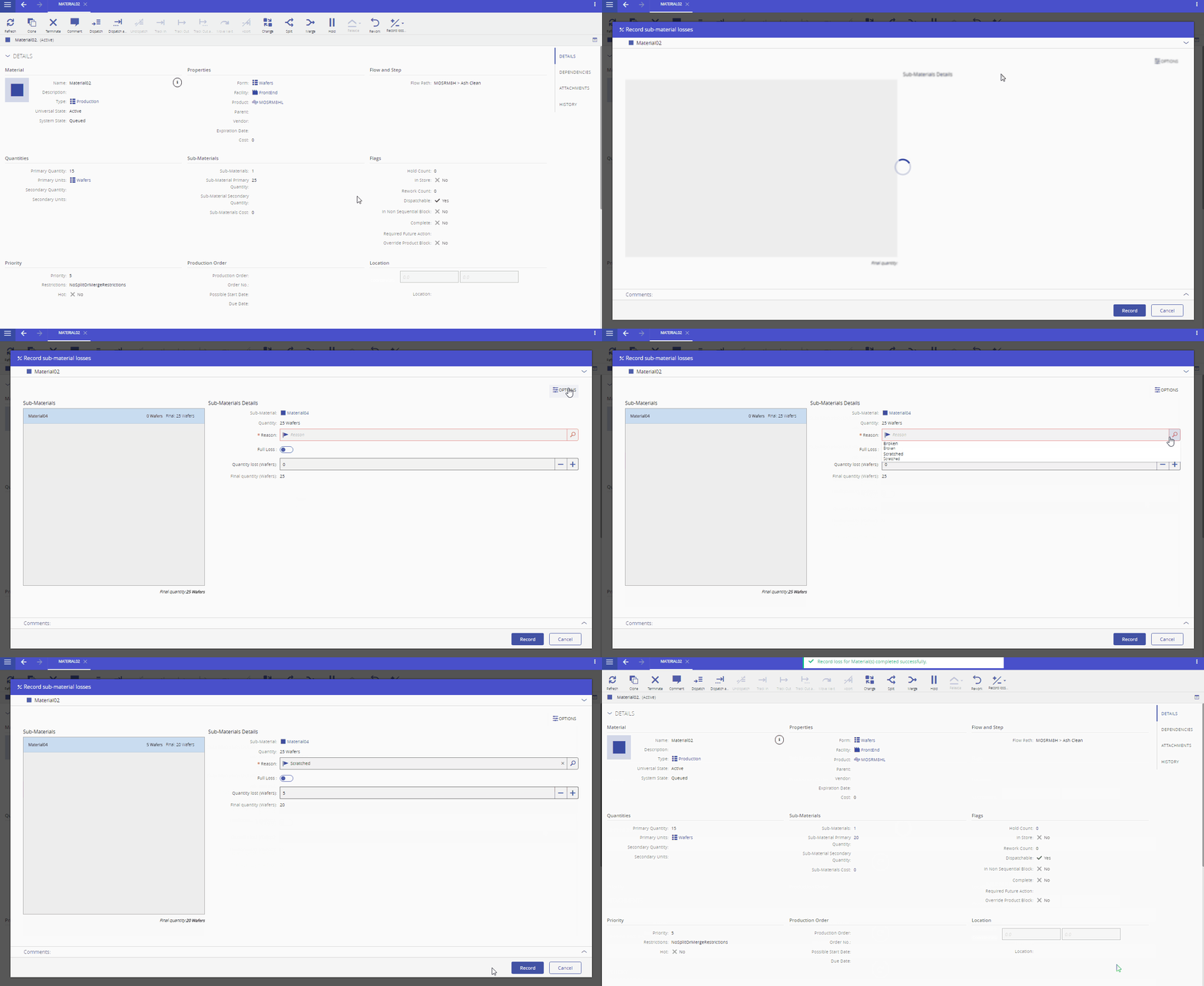
- Choose the Record Sub-Material loss, under the Record loss/bonus button.
- Optionally, review the Material details, by expanding the Material section.
- Optionally, expanding the Options section two properties can be changed:
- Terminate Material on zero quantities and no Sub-Materials - if checked, will terminate the Material under those circumstances. The Parent Material will be terminated if all Sub-Materials are terminated and there is no Primary Quantity or Secondary Quantity left in the Parent
- Define final quantity manually - if checked, allows the user to define the final quantity and the delta will be automatically calculated and shown.
- If the Loss is not full, enter the quantity, for each Loss and Bonus Reason
- The final quantity will be calculated automatically and displayed in the Final Quantity text box and below the Sub-Material list.
- Optionally, enter a Comment.
- Select Record to complete the operation.
Info
- Only losses which have been qualified to apply to Record Loss appear listed.
- It is possible to define the default value for checkbox Terminate Material on zero quantity(ies) and no SubMaterials by adding the entry Context =
Material.RecordSubMaterialLosses,Element = TerminateOnZeroQuantityas context in the Generic Table GUIElementDefaultValue.