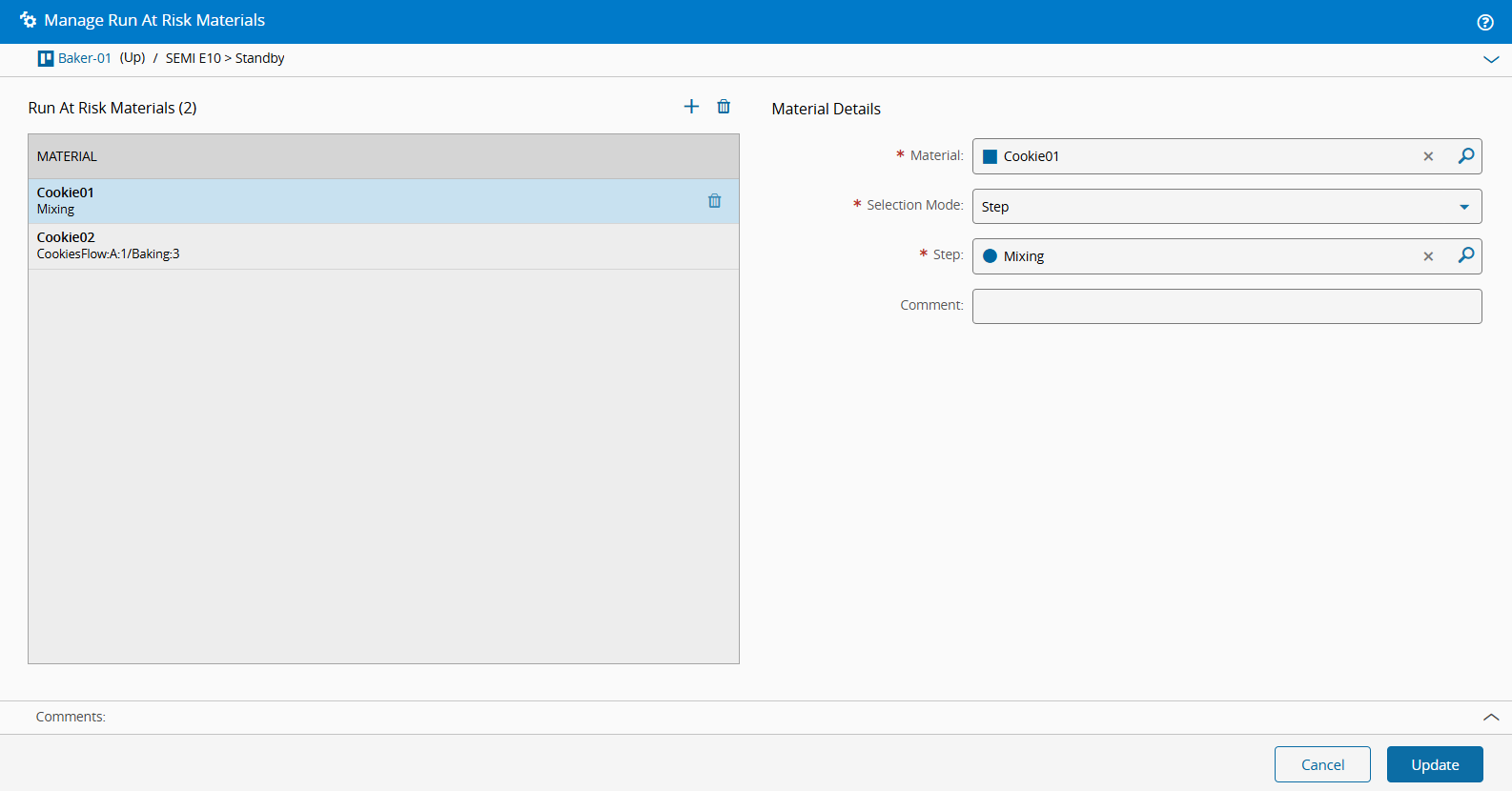
Manage Run At Risk Materials#
 Resource.ManageRunAtRiskMaterials
Overview#
This operation manages Run at Risk Materials, allowing Materials to be processed even when they are flagged as "at risk". The operation can be executed regardless of the Resource state. It is permitted when the Resource is Down or Down for Maintenance, and it does not require the Resource or any associated qualification items (Service, Recipe, or Sub-Resource) to be qualified.
Setup#
No specific setup is required other than to meet the precondition of the transaction.
Preconditions#
- The Resource must be Active and Non-Template.
- The Processing Type of the Resource must be Process or Line.
- At least one of the following properties must be true for the Resource:
- Qualification Check is set.
- Enable Sub-Resource Qualifications is
true. - At least one of its Services has a Qualification Check set.
- At least one of its Recipes has a Qualification Check set.
- The Material exists, is Active and Non-Template.
- The combination of Material, Step, Flow, Flow Path, and Logical Path must be unique.
Sequence of Steps#
Select a Resource that matches the preconditions listed above, and navigate to the Run At Risk Materials section. Select the Manage button to open the Manage Run At Risk Materials wizard.
Note
When a referenced Material is terminated, all Resource Run At Risk records for that Material are removed, regardless of their state. Unterminating the Material or Resource does not recover these records.
Step 1: Manage Run At Risk Materials#
- Add or remove Materials as needed (select to add, and to remove).
- For each Material, define the following:
- Material - select the desired Material.
- Selection Mode - choose one of the following options:
- Step - select only the Step.
- Flow Path - select the Flow and Step, using the original entity names.
- Logical Path - select the Step and the Logical Path, using the logical entity names.
- Comment - optionally provide additional information in free text.
- Select Update to complete the operation.