Generate Shift Handover Summary#
 ShiftLogbook.Show
AI.ViewSummary
Overview#
This operation generates a Shift Handover Summary for the Shift associated with the selected Shift Logbook.
The summary combines the applicable Shift Logbook entries with the activity information available for the Area during the Shift.
Setup#
Configure AI in the MES environment before using this operation. For more information, see AI.
Preconditions#
- The Shift Logbook exists, is Active, and Open.
- The Shift Logbook is enabled for the applicable Area.
- You have access to the
AI.ViewSummarysecurity feature. - AI is configured in the MES environment.
Sequence of Steps#
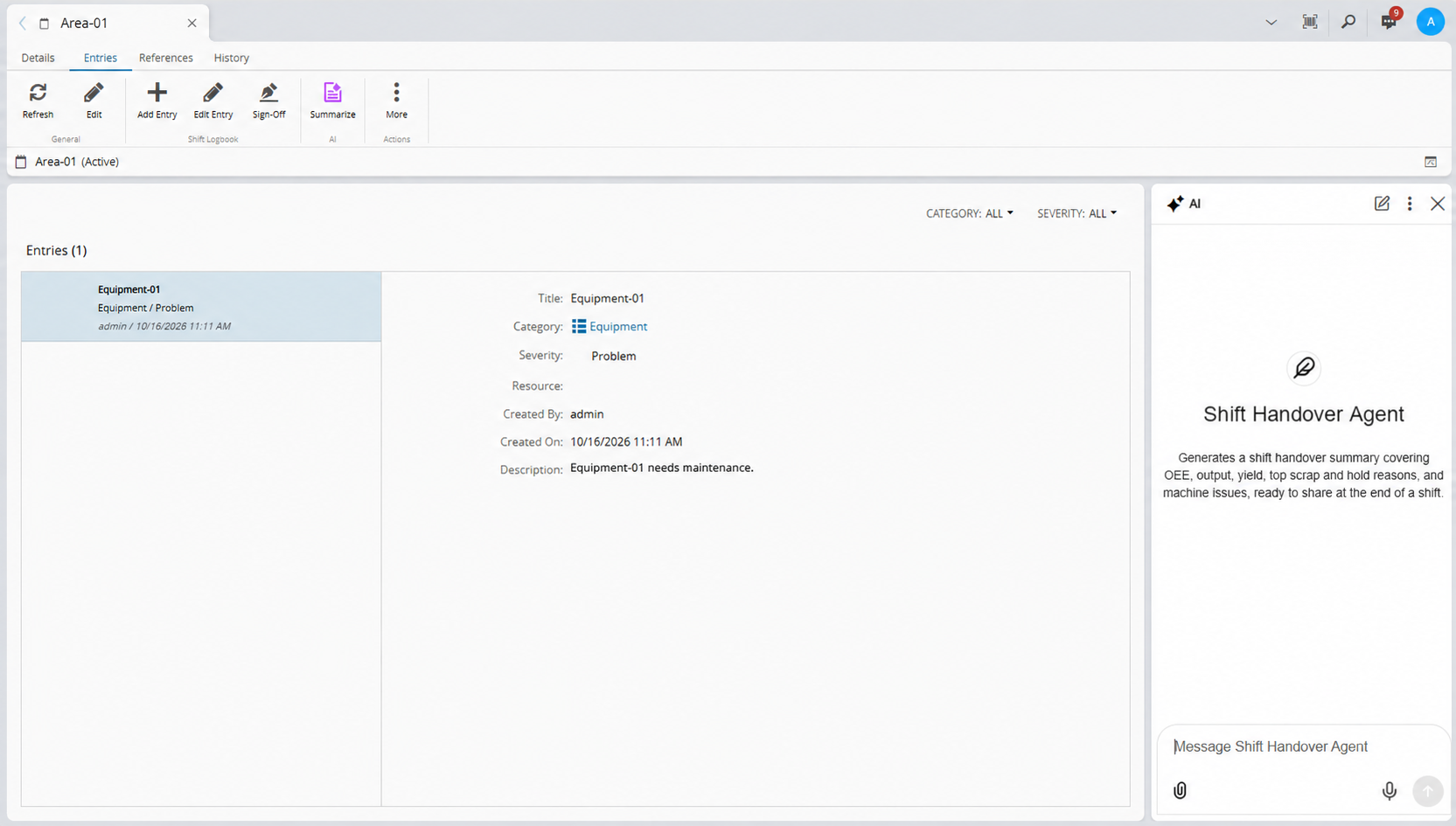
- Open the applicable Shift Logbook.
- Select Summarize.
-
Review the generated Shift Handover Summary.
Summary Content#
When Analytics is installed, the standard Shift Handover Summary does not require the IoT Data Platform Premium license. The summary can include the following information:
- A summary of the applicable Shift Logbook entries.
- A summary of Area activities and performance for the Shift.
- Overall equipment effectiveness (OEE), including the trend against previous Shifts.
- Produced quantity, compared to plan, including the trend against previous Shifts.
- Yield information, including the trend against previous Shifts.
- Scrap and scrap reasons in Pareto form.
- Lots put on hold and hold reasons in Pareto form.
- Machine issues, such as corrective Maintenance Activity Orders requested during the Shift.
Additional Data#
The IoT Data Platform Premium license is required when you request additional data, such as Track-In information.
The system returns the generated summary in the language associated with your culture.
Related Pages#
For more information on AI security features, see AI Security Features.