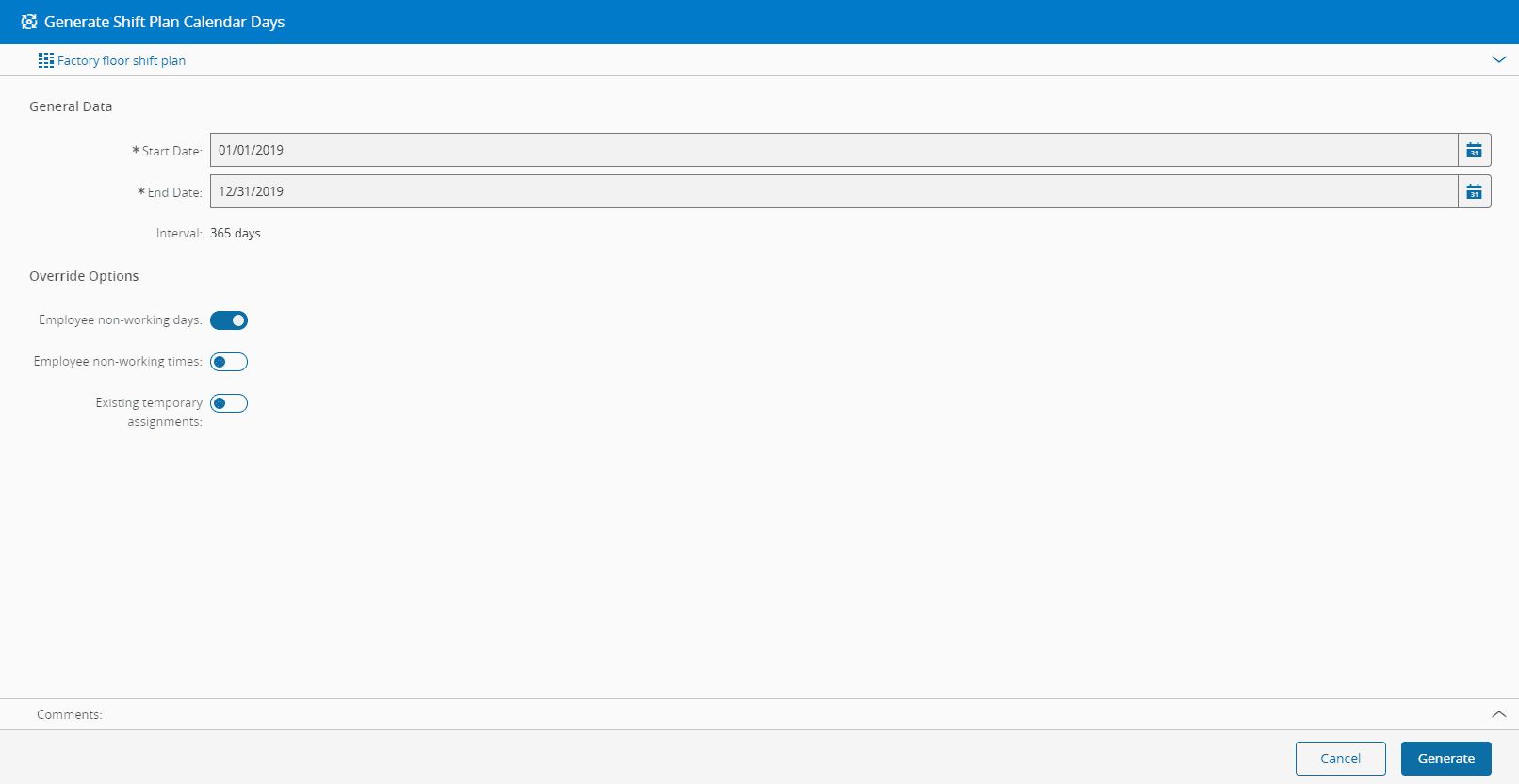
Generate Shift Plan Calendar Days#
 ShiftPlan.GenerateCalendarDays
Overview#
The generation of Shift Plan Calendar Days creates individual Employee Calendar days for each Employee associated with the Shift Plan. It is based on the Employee associations with Team, Workgroup and Position and takes into account the Calendar Shift Definition Shifts and Teams for each Calendar Day.
Setup#
To be able to perform Generate Shift Plan Calendar Days it is necessary to:
- Have Calendar Days generated for the period where it is intended to create Shift Plan Calendar Days (refer to Generate Calendar Days).
- Have the Employees associated with Shift Plan (refer to Manage Employee Teams and Workgroups).
Preconditions#
- The Shift Plan exists in the system and is Active.
Sequence of Steps#
The Generate Shift Plan Calendar Days wizard can be called from the Shift Plan page within the Business Data Group.
Step 1: General Data#
- Specify the start and end date. The system will present the number of Calendar Days to be generated.
- Select whether to override employee non-working days.
- Select whether to override employee non-working times.
- Select whether to override employee temporary assignments.
- Select the Generate button to complete the operation.