Page Tabs#
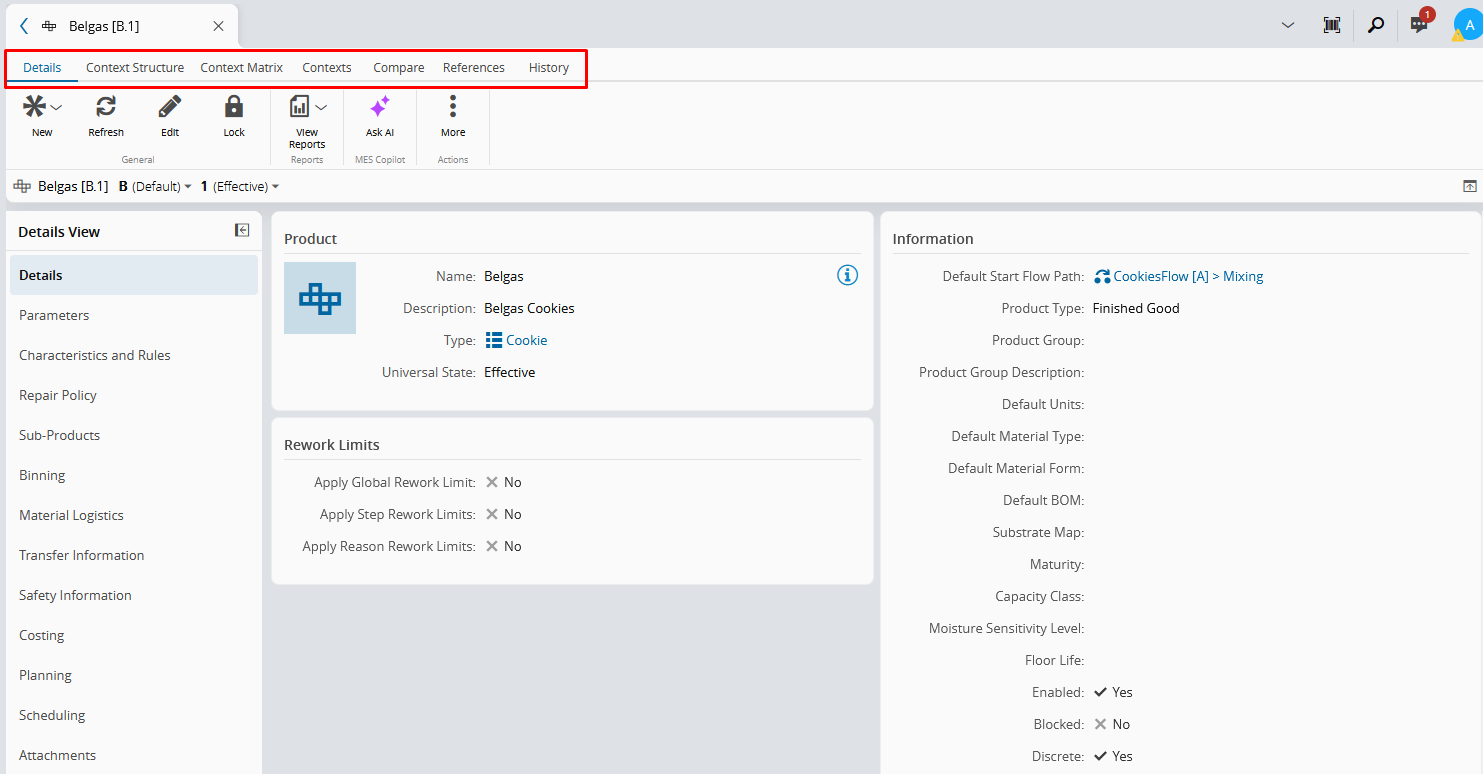
Page Tabs are displayed in the top ribbon, above the Action Bar, within any system entity.
Each Page Tab provides access to specific information or operations related to that entity, and may vary depending on the entity type. All available Page Tabs for the selected entity are immediately visible and can be selected directly from the displayed tabs.
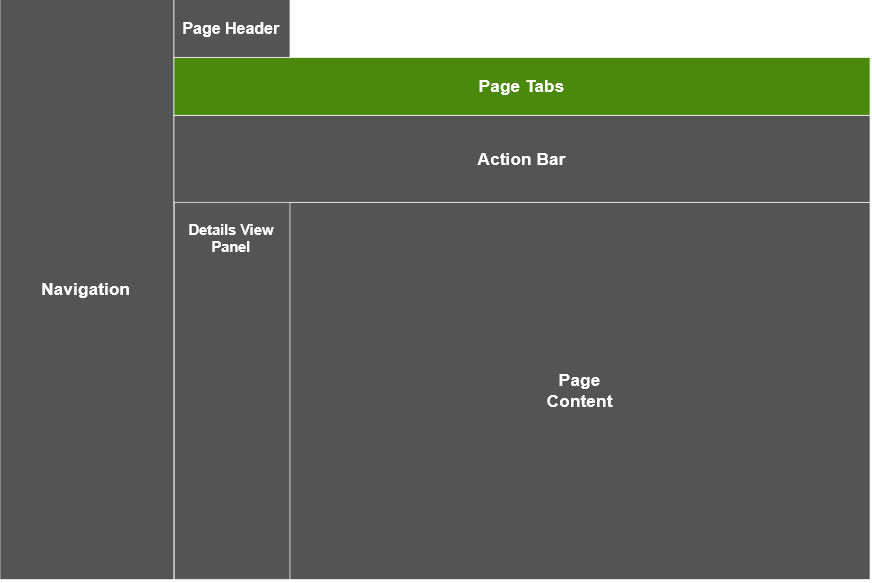
The most common Page Tabs include:
- Details Tab - displays the main information and operations available for the selected entity. In this tab, the information is organized into sub-sections that are accessible through the Details View panel on the left side of the page.
- References Tab - displays information about relationships between the selected entity and other objects in the system, such as existing relations or where the entity is used.
- History Tab - displays historical information related to the selected entity, including operations performed, associated information, users involved, and the date and time of the changes.
Other Page Tabs may also be available depending on the entity type.
For example, Product includes a Compare Tab, which allows you to compare the selected entity version and any other version that can be selected through it. Other entities may provide entity-specific tabs, such as the Step View Tab, which displays Step-related information.
For more information about the Page Tabs available for each entity, see the corresponding entity documentation page.