Material Baking#
Overview#
The Material Baking feature enables automated management of baking processes for moisture-sensitive devices (MSDs), including calculation, execution, and tracking of required baking time to reset material floor life, in compliance with J-STD-033.
Concept#
The feature allows users to place materials in a baking oven and automatically:
- Calculate required baking time
- Track baking progress
- Reset floor life upon completion
When materials are sent to a baking oven:
-
The system determines the required baking duration based on:
- Baking oven type
- Material thickness
- Moisture Sensitivity Level (MSL)
- BGA classification
- Floor life status
-
A matching rule is found in the SMTMaterialBakingTable
During baking, the system tracks key attributes:
SMTBakingCounterState– Indicates if material is bakingSMTBakingStartDate– Start timestampSMTBakeUntil– When baking is completeSMTRequiredBakingHours– Required duration
Functional Behavior#
Preconditions / Constraints#
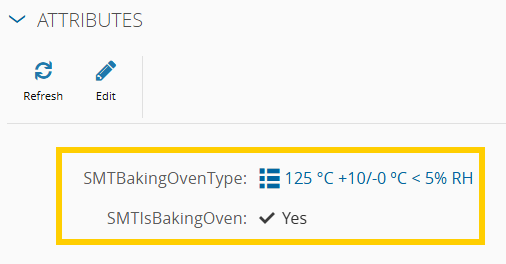
- Baking resources must:
- Have
SMTIsBakingOven = true - Have
SMTBakingOvenTypeconfigured - Allow materials to be dispatched and tracked
- Have
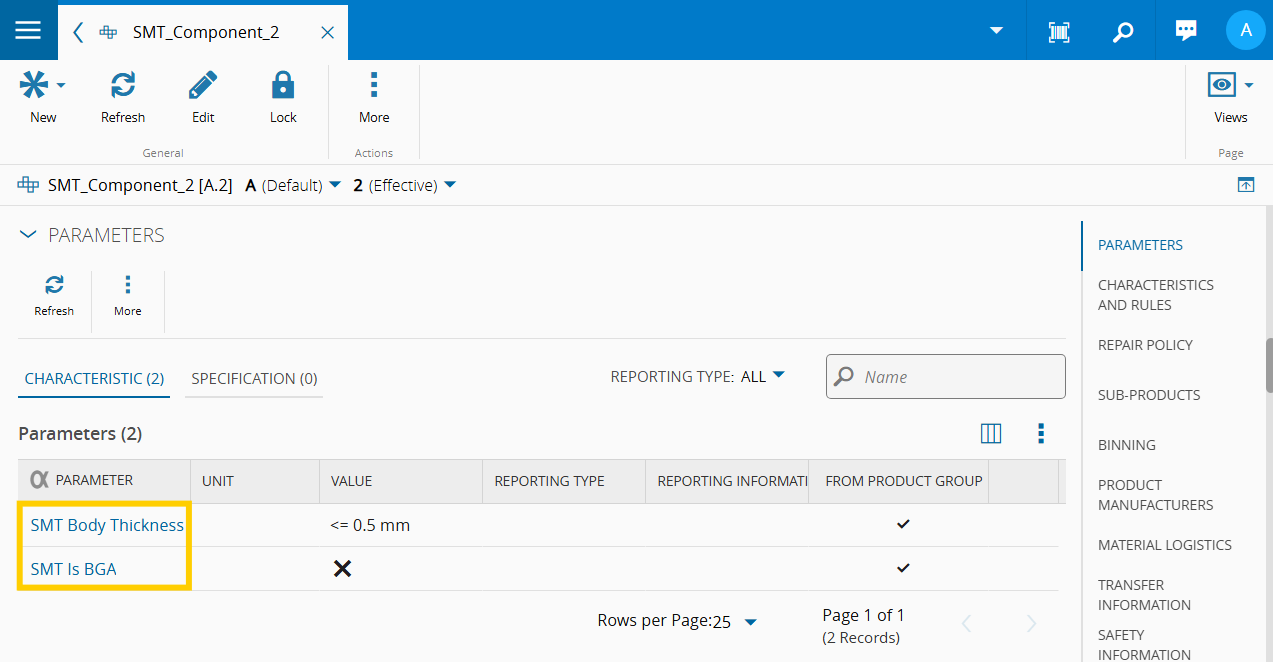
- Product characteristics must include:
SMT Body ThicknessSMT Is BGA
- All material movements in/out of ovens must:
- Be performed via Material Baking wizards
System Configuration#
To use this feature, the following configuration must be enabled:
/SMT/MaterialBaking/IsEnabled- Type: Boolean
- Required: Yes
- Description: Enables the Material Baking feature
Additional Relevant Configurations#
-
/SMT/MaterialBaking/ResetMaterialFloorLifeOnBakingCompletion
Resets floor life after baking -
/SMT/MaterialBaking/StartMaterialFloorLifeWhenBakingEnds
Starts floor life counter after baking -
/SMT/MaterialBaking/RefreshIntervalInMinutes
Controls UI refresh rate -
/SMT/MaterialBaking/QueueMaterialStateAfterBaking
Defines post-baking material state -
The
SMT.StartBaking,SMT.StopBakingandSMT.ViewBakingsecurity features need to be enabled to access their respective UI components.
Trigger#
The feature is triggered when:
- A user starts or stops baking using the Material Baking wizards
System Actions#
When baking starts#
- Materials are dispatched and tracked into the oven
- Baking attributes are initialized
- Required baking time is calculated
During baking#
- Remaining time is continuously updated
When baking ends#
- Materials are removed from the oven
- If completed:
- Floor life is reset (depending on configuration)
Baking Time Determination Logic#
The system selects a baking rule based on:
- Oven type
- Material properties
- Floor life status
Floor life handling#
- Floor life > 0 – standard baking duration
- Floor life = 0 (≤72h exceeded) – standard duration
- Floor life = 0 (>72h exceeded) – extended duration
Tracking attributes#
SMTActualFloorLifeRemainingHoursSMTFloorLifeCounterStopDate- Floor life exceeded more than 72 hours after expiration
Resource Monitoring#
Baking ovens provide a dedicated view showing:
- Materials currently baking
- Remaining baking time per material
You can find more detailed information in the Material Baking tutorial.