Material Consumption Dashboard#
Overview#
The Material Consumption Dashboard provides a centralized view of material traceability, allowing users to analyze how a material has been consumed across the production process.
It enables visibility into both:
- Where a material has been consumed
- Which materials consumed a given material
Concept#
The dashboard leverages traceability data to present material consumption relationships based on a selected material.
Users can search for a material and choose how to analyze its consumption using two perspectives:
-
WIP (Work In Progress)
Displays all consumption events where the selected material was consumed -
Raw Material
Displays all materials that consumed the selected material
This dual perspective allows users to navigate both forward and backward traceability.
Functional Behavior#
Only applicable when using the dashboard from the Quality tab.
System Configuration#
The dashboard URL must be configured in:
/SMT/MaterialConsumptionDashboard/Path- Type: String
- Description: Defines the path to the Grafana dashboard
Important Notes#
- The configured path must start after “Grafana/”
- Example:
d/a04f1524-8f81-430a-8d9a-0caaf350284a/material-traceability?orgId=1
Usage#
The dashboard is accessed through either:
-
Quality:
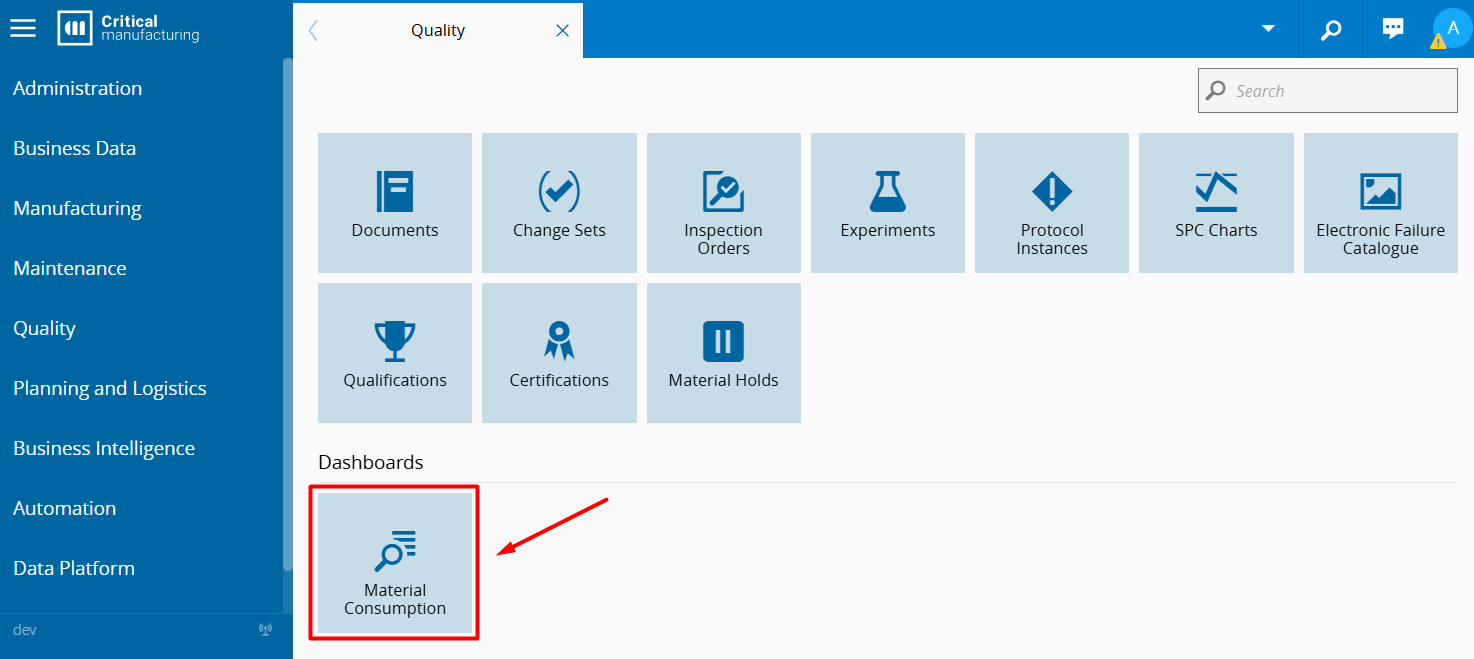
-
Business Intelligence:
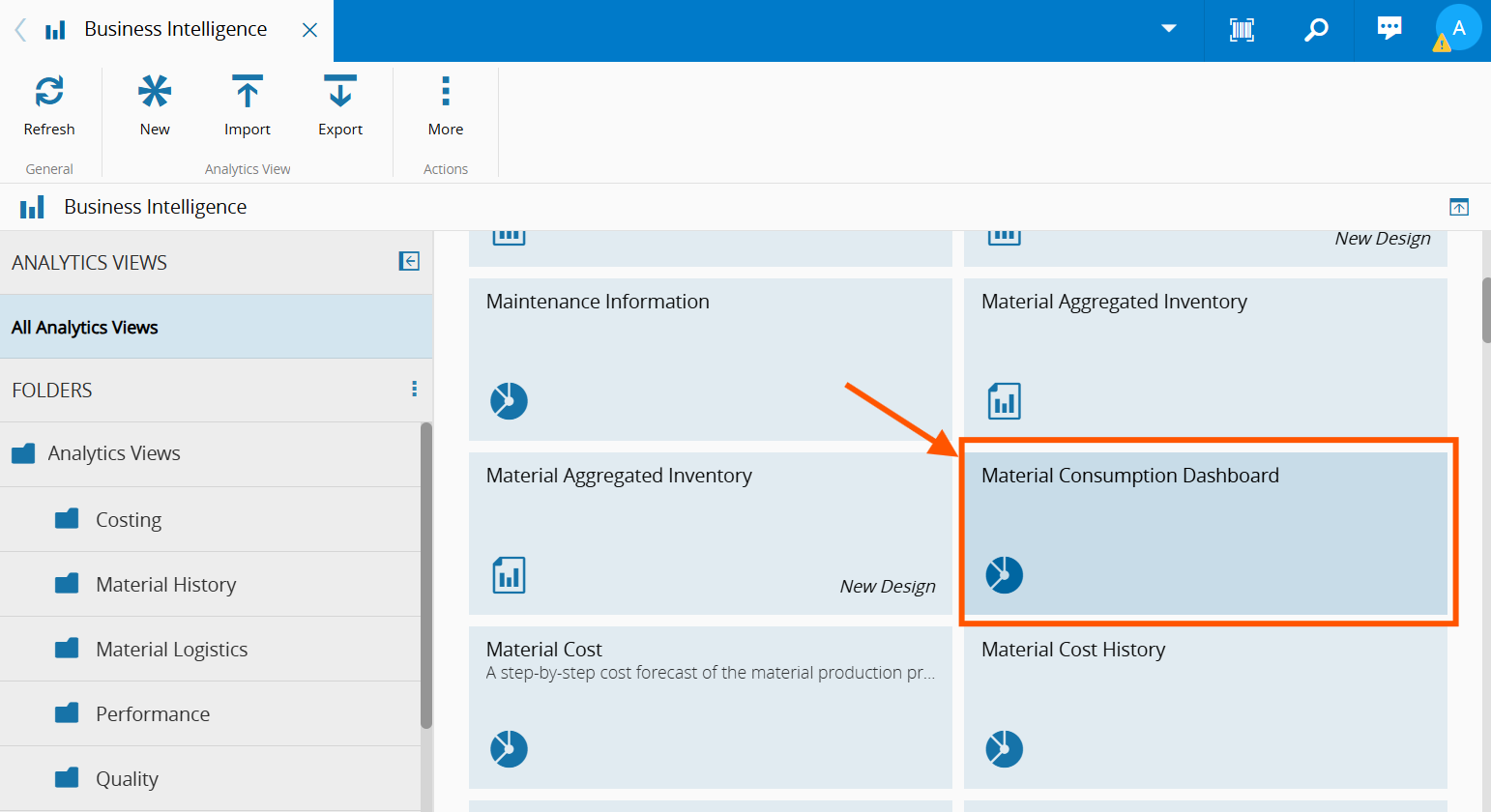
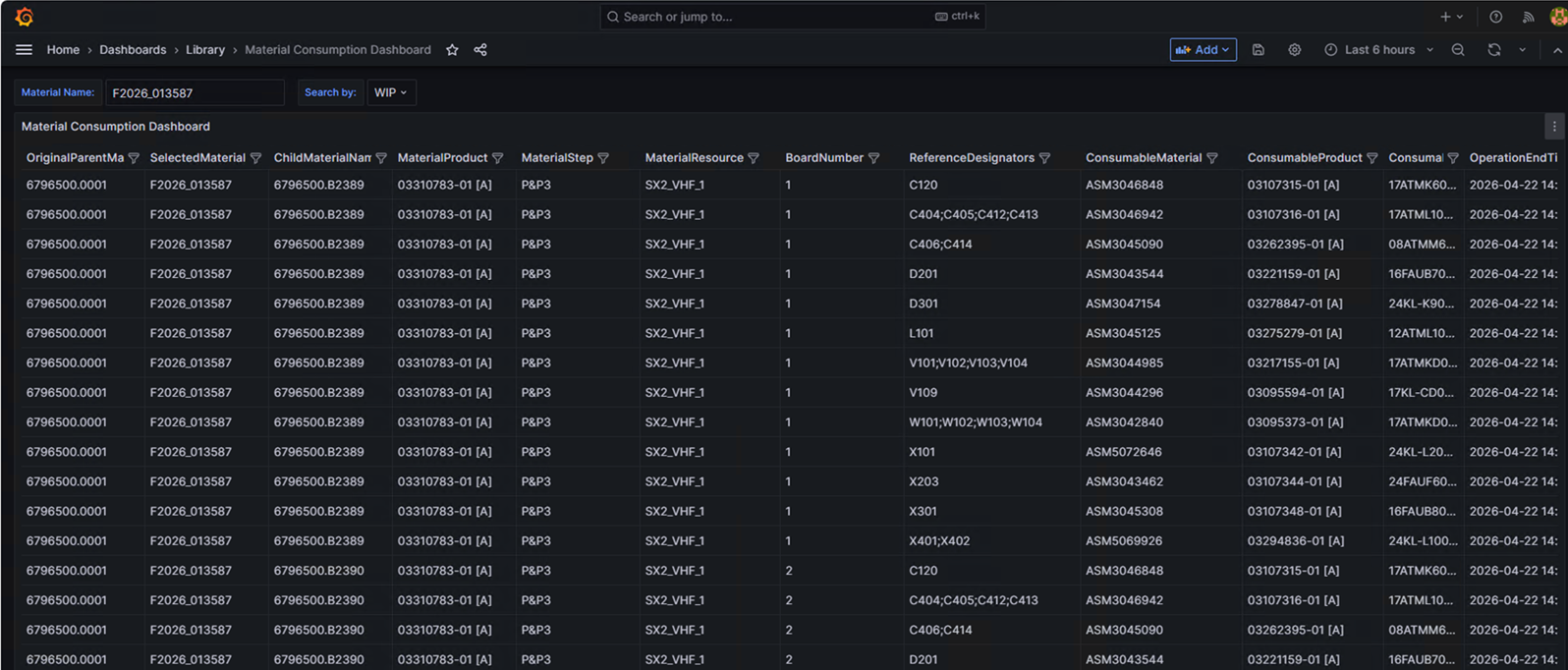
When the dashboard is opened:
- A Grafana dashboard is launched
- The user can input search criteria to retrieve material traceability.
Fields and Parameters#

Material Name#
- Type: Text
- Description: The identifier of the material to be analyzed
- Usage: Enter the material for which traceability information is required
Search By#
- Type: Selection
- Description: Defines the perspective used to analyze material consumption
-
WIP
- Displays all consumption events where the specified material was consumed
- Focus: usage of the material in production
-
Raw Material
- Displays all materials that consumed the specified material
- Focus: downstream materials that depend on the selected material
The dashboard displays a set of fields that describe the material traceability. These fields may be shown or hidden depending on configuration.
| Field | Description |
|---|---|
| OriginalParentMaterial | Original parent material name of the selected material (if applicable) |
| CurrentParentMaterial | Current parent material name of the selected material (if applicable) |
| SelectedMaterial | Material provided in the input |
| SelectedMaterialId | Internal material identifier |
| ChildMaterialName | Child material derived from the selected material (if applicable) |
| MaterialProduct | Product associated with the material |
| MaterialStep | Step where the material is/was processed |
| MaterialResource | Target resource of the combine operation |
| BoardNumber | Board position (MESPositionID) |
| ReferenceDesignators | PCB reference designators (if applicable) |
| ConsumableMaterial | Consumed raw material name |
| AssembleQuantity | Quantity consumed in the operation |
| Operation | Operation type (e.g., Assemble, Combine) |
| ConsumableProduct | Product associated with the consumed material |
| ConsumableStep | Source step of the consumed material |
| ConsumableResource | Source resource of the combine operation |
| SourceLocation | Not used |
| TargetLocation | Not used |
| OperationEndTime | Timestamp of the consumption event |
| FlowPath | Flow path at the time of consumption |
| MaterialRecipe | Recipe resolved for the material |
| MoistureSensitivityLevel | Moisture Sensitivity Level of the consumed material |
| SupplierName | Supplier of the consumed material |
| ManufacturerLotNumber | Manufacturer lot number of the consumed material |